-
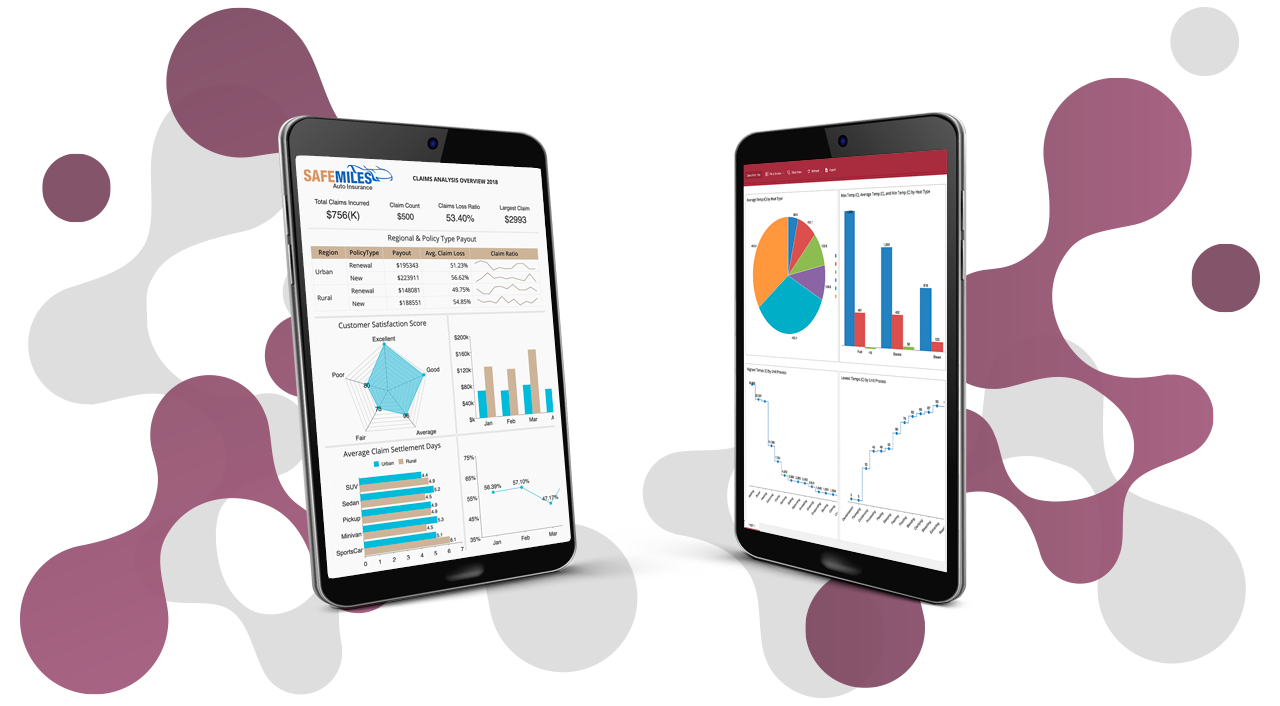
Interactive DashboardsCreate interactive BI dashboards with dynamic visuals.
-
End-User BI ReportsCreate and deploy enterprise BI reports for use in any vertical.
-
Spreadsheet AnalyticsNewLast-Mile Analytics Tool.
-
Narrative Data StoriesThe Next Evolution of Data Storytelling
-
Automated Business DocumentsNewDocument Generation for Smarter Workflows
-
Visual Data Pipeline BuilderDesign Complex Data Flows, Simply.
-
Wyn ArchitectureA lightweight server offers flexible deployment.
-
 Wyn Enterprise 7.1 is ReleasedThis release emphasizes Wyn document embedding and enhanced analytical express...
 -
 Choosing an Embedded BI Solution for SaaS ProvidersAdding BI features to your applications will improve your products, better serve your customers, and more. But where to start? In this guide, we discuss the many options.
-
Visual GalleryInteractive sample dashboards and reports.
-
BlogExplore Wyn, BI trends, and more.
-
WebinarsDiscover live and on-demand webinars.
-
Customer SuccessVisualize operational efficiency and streamline manufacturing processes.
-
Knowledge BaseGet quick answers with articles and guides.
-
VideosVideo tutorials, trends and best practices.
-
WhitepapersDetailed reports on the latest trends in BI.
-
 Choosing an Embedded BI Solution for SaaS ProvidersAdding BI features to your applications will impr...
 -

Ad Hoc vs. Canned Reports
Traditional BI reports, or canned reports, are preformatted, print-ready reports created by IT, data managers, or analysts to answer a specific business question.
For example, a canned report can show a company’s revenue and whether it is lower or higher than expected. Frequently, a canned report will answer one question; however, many times one question leads to others.
Often, when users see the data within the canned report, a deeper analysis is required. An ad hoc report can be used to drill-down on data to understand why the revenue is lower or higher than expected.
The use of canned reports can impose a heavy burden on IT. A user must send a request to an IT member responsible for maintaining BI tools.
Ad hoc reporting is a business intelligence process where non-technical end-users can generate BI reports without the need from IT. Ad hoc reporting is a component of BI that helps users make data-driven decisions more accurately. Ad hoc reporting enables end-users to ask their own questions and create their own reports. The reports can help readers visualize data, which is essential for obtaining actionable answers to their questions.
What Industries Benefit from Ad Hoc Reporting?
Ad hoc report utilization can improve end-users analytical capabilities in many ways. Every industry from education, healthcare, finance, manufacturing, insurance, retail (and more) can benefit from a deeper understanding of their data.
Let’s take a look at several industry use-case specifics.
Ad Hoc Reporting for Enterprises
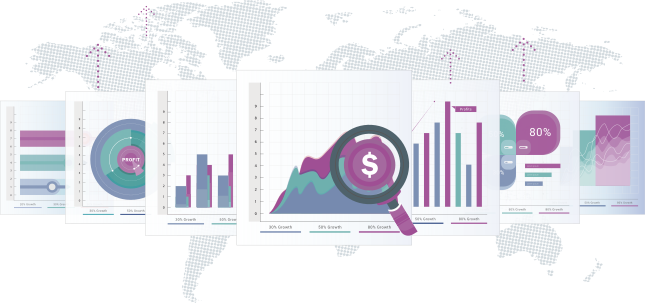
Executives can use ad hoc reporting tools to obtain visibility over their organization, including its processes and workforce. They can also track their organization’s progress towards their business goals and reallocate resources according to mission priorities.
Sales teams can identify problems and present their solutions to clients with ad hoc reports. For example, salespeople for wealth management firms often need to present performance metrics for a client’s investment options.
An ad hoc reporting tool with an interactive dashboard can fulfill this requirement far more easily than a static spreadsheet.
Ad hoc reports can help identify the people and places with the most significant demand for a product by targeting specific demographic groups and geographic locations for the current time period. Customer support teams can also monitor trends in customer satisfaction surveys with ad hoc reports.
This capability allows these departments to identify the team members who provide customers with the best experiences and view support volume, recurring issues, recurring ticket openers, and service level agreements (SLAs).
Ad hoc reports can provide project managers with a better understanding of their projects. They allow managers to monitor their projects’ compliance with budget and time constraints, along with equipment availability, performance, and quality. Ad hoc reports also enable project managers to identify process bottlenecks.
System admins can determine which portals, controls, and visualizations end-users can see.
Ad Hoc Reporting in Healthcare
Ad hoc analysis is proving particularly useful in healthcare, where professionals rarely know programming languages or build visual aids. However, a doctor can quickly generate a laboratory report with ad hoc reporting.
Healthcare ad hoc reports can include:
- Data prioritization
- Lab test results
- Patient satisfaction
- Seasonal visit volume
- Patient summaries
All of which are essential for improving preventative medicine and diagnostic procedures.
Ad Hoc Reports in the Finance Industry
The financial sector is also making effective use of ad hoc reports. This industry routinely deals with facts and figures, which relies heavily on reporting capabilities. Ad hoc reports help financial analysts drill-down to specific segments of data, allowing them to spot trends and maximize their return on investment (ROI).
Benefits of ad hoc reports in the financial sector may include:
- Improved security
- Enhanced regulatory compliance
- Complex mathematical computations are easily visualized

Ad Hoc Reporting in Retail, Marketing, and eCommerce
Ad hoc reports are primarily used in the retail sector for loss prevention. A store-specific report for a specific loss area like employee theft or shoplifting can track inventories and identify trends that can dramatically reduce losses.
Ad hoc reports can also help retailers with customer identification and retention, inventory planning, and personalizing customer service.
Ad Hoc Reports in Technology
Users in the technology industry create ad hoc reports to answer many different business and IT questions. IT administrators can monitor network health, visualizing bandwidth tests, compare historical upload/download speeds, or identify problem points in the enterprise network.
IT Project Managers may need to generate on-demand reports to guide projects through the conceptual development phase, using data to drive SWOT analyses or track execution resources like budget and time.

Ad Hoc Reports for the Manufacturing Industry
Production floor managers and executives in the manufacturing industry use ad hoc reporting to utilize data to answer their sales, inventory, and supply tracking questions. Specifically, ad hoc reports visualize inventory tracking to check fluctuations in supply or demand. Manufacturing managers can use the report outcomes to adjust material accordingly to ensure optimal manufacturing location efficiency.
Ad hoc reports also help determine optimal warehouse configurations, determine profit contributions by segment and customer, and uncover the risks and rewards of taking on new contracts.
Ad Hoc Reporting – Design Best Practices
Ad hoc reporting benefits do depend on the report design quality, even when the data itself is entirely accurate. Users need to follow several best practices to ensure the ad hoc reports they generate are as useful as possible.
Assuming the use of a modern reporting tool, some of the many best practices for ad hoc reporting include:
- Identifying the question
- Keeping reports simple
- Consider the layout
- Make aggregate data points easily accessible
- Maintain design consistency
These practices should eventually become second nature for anyone who designs ad hoc reports regularly.
FAQ: Ad Hoc Reporting and Use Cases
1. What is ad hoc reporting in business intelligence?
Ad hoc reporting is a self-service BI feature that lets users create customized reports on demand, without IT assistance. It empowers business users to analyze data, answer specific questions, and gain insights in real time, using intuitive interfaces for quick data exploration and visualization.
2. How does ad hoc reporting differ from standard or scheduled reports?
Standard reports are typically pre-designed and run on a set schedule, delivering recurring insights. In contrast, ad hoc reports are created as needed to address unique questions or changing business requirements, offering flexibility and immediate answers.
3. What are common use cases for ad hoc reporting in various industries?
Ad hoc reporting is widely used for sales analysis, financial performance tracking, inventory management, customer service metrics, healthcare outcomes, and operational efficiency. Industries like retail, healthcare, finance, and manufacturing rely on ad hoc reports to drive agile, data-driven decisions.
4. What are the main benefits of using ad hoc reporting tools?
Ad hoc reporting tools give organizations the flexibility to answer business questions on demand without waiting for pre-built or scheduled reports. They empower non-technical users to work directly with data, reducing reliance on IT teams while improving agility across departments. This leads to quicker insights and more confident decision-making.
- Faster decision-making: Access insights immediately when questions arise.
- Empowerment for non-technical users: Create and customize reports without coding.
- Reduced IT workload: Free technical teams from routine report generation.
- Tailored insights: Focus on specific metrics or scenarios that matter most.
- Trend identification: Explore data interactively to uncover patterns.
- Custom visualizations: Build charts, graphs, or summaries that fit the need.
5. Can ad hoc reporting improve business agility?
Yes, ad hoc reporting enhances business agility by allowing organizations to quickly respond to market changes or emerging issues. Teams can instantly generate reports to investigate problems, test hypotheses, and adapt strategies in real time.
6. What features should you look for in ad hoc reporting software?
The best ad hoc reporting software combines ease of use with enterprise-grade functionality. It should allow business users to create reports quickly while giving IT teams confidence in data accuracy, security, and scalability. A strong platform integrates smoothly with existing systems and provides real-time access so decisions can be made without delay.
- Intuitive drag-and-drop interface
- Robust filtering options
- Customizable dashboards
- Real-time data access
- Seamless integration with databases, cloud apps, ERP/CRM
- Security and governance (role-based controls)
- Scalability for growing data and users
- Export capabilities (PDF, Excel, etc.)
7. Is ad hoc reporting secure for sensitive business data?
Leading ad hoc reporting tools provide role-based access controls, encryption, audit trails, and compliance support to safeguard sensitive information. Security features ensure only authorized users can view or create reports using confidential data.
8. How does ad hoc reporting empower non-technical users?
Ad hoc reporting platforms offer user-friendly design, enabling employees without coding skills to build, modify, and share reports. This democratizes data access, reduces bottlenecks, and supports a self-service analytics culture across the organization.
9. Can ad hoc reporting be embedded into other business applications?
Yes, many modern BI platforms, including Wyn Enterprise, offer embedded ad hoc reporting functionality. This allows users to create and access reports directly within their existing business apps or portals, streamlining workflows and enhancing productivity.
10. What makes Wyn Enterprise a strong choice for ad hoc reporting?
Wyn Enterprise delivers a fully embedded, self-service ad hoc reporting solution with an intuitive designer, scalable architecture, and secure data integration. It supports real-time analytics and role-based access, making it ideal for organizations seeking flexible, powerful, and user-friendly reporting tools.
Empower Teams with Self-service BI
Provide your team with a unified, enterprise-level, self-service data analysis and decision support platform. Wyn Enterprise is a web-based BI and data analytics platform that provides greater insight into your data.
Wyn offers built-in tools for report and dashboard creation, data governance, security integration, embedded BI, automated document distribution, and a business-user friendly interface for self-service business intelligence.
Wyn’s easy-to-use designers allow non-technical business users to build interactive dashboards with drill-down and cross-filter functionality quickly.
Users can independently create ad-hoc reports to visualize data and obtain meaningful insights from their reports.

Laurie Smith
Laurie A. Smith is the Product Marketing Manager for Wyn Enterprise. She managed content development at the Developer Tools Division before moving to the Wyn Enterprise Business Intelligence Team. Laurie holds an MFA in Film and Digital Media Production from Chatham University, an MBA & a Master’s Degree in Journalism and Mass Communications from Point Park University in Pittsburgh, PA.
In addition to working in technology, she also loves beekeeping, the horror movie genre, and carefully cultivating sunflowers.
Find her on LinkedIn.


Loved by industry
experts and real users