-
Interactive DashboardsCreate interactive BI dashboards with dynamic visuals.
-
End-User BI ReportsCreate and deploy enterprise BI reports for use in any vertical.
-
Spreadsheet AnalyticsNewLast-Mile Analytics Tool.
-
Narrative Data StoriesThe Next Evolution of Data Storytelling
-
Automated Business DocumentsNewDocument Generation for Smarter Workflows
-
Visual Data Pipeline BuilderDesign Complex Data Flows, Simply.
-
Wyn ArchitectureA lightweight server offers flexible deployment.
-
 Wyn Enterprise 7.1 is ReleasedThis release emphasizes Wyn document embedding and enhanced analytical express...
 -
 Choosing an Embedded BI Solution for SaaS ProvidersAdding BI features to your applications will improve your products, better serve your customers, and more. But where to start? In this guide, we discuss the many options.
-
Visual GalleryInteractive sample dashboards and reports.
-
BlogExplore Wyn, BI trends, and more.
-
WebinarsDiscover live and on-demand webinars.
-
Customer SuccessVisualize operational efficiency and streamline manufacturing processes.
-
Knowledge BaseGet quick answers with articles and guides.
-
VideosVideo tutorials, trends and best practices.
-
WhitepapersDetailed reports on the latest trends in BI.
-
 Choosing an Embedded BI Solution for SaaS ProvidersAdding BI features to your applications will impr...
 -

Avoiding Cyclic Parameter Error Using Lookup Datasets in Wyn
Background:
When designing reports in Wyn, parameters are often used to filter data dynamically. A common approach is to populate parameter values using a dataset query (“From Query”).
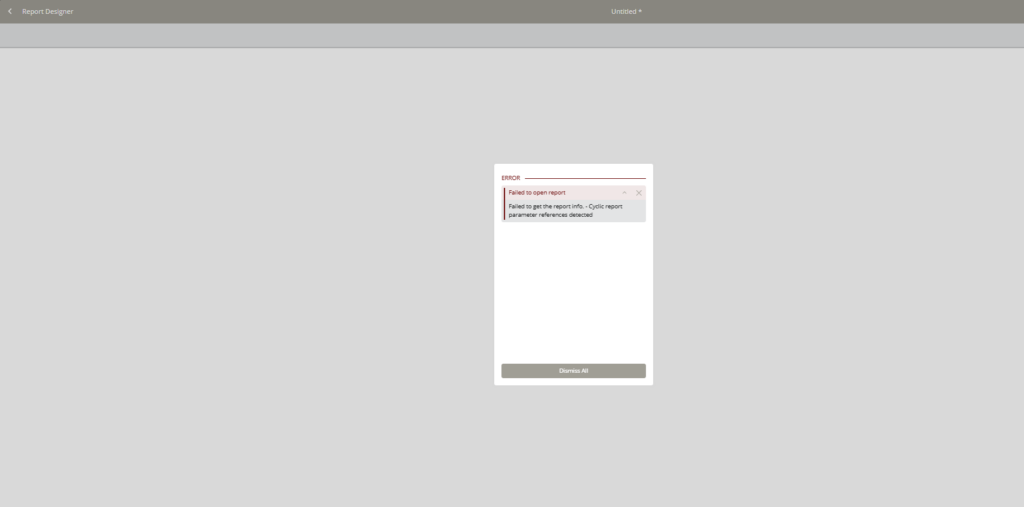
However, the following error may be encountered when previewing reports:
“Cyclic report parameter references detected”
This typically happens when parameters and datasets are configured in a way that creates circular dependencies.
This article explains why this happens and how to properly use lookup datasets to avoid such issues.
Common Scenario
A report may have parameters, and the same dataset used to generate the report is also used to:
- Populate parameter available values
- Filter data based on those same parameters
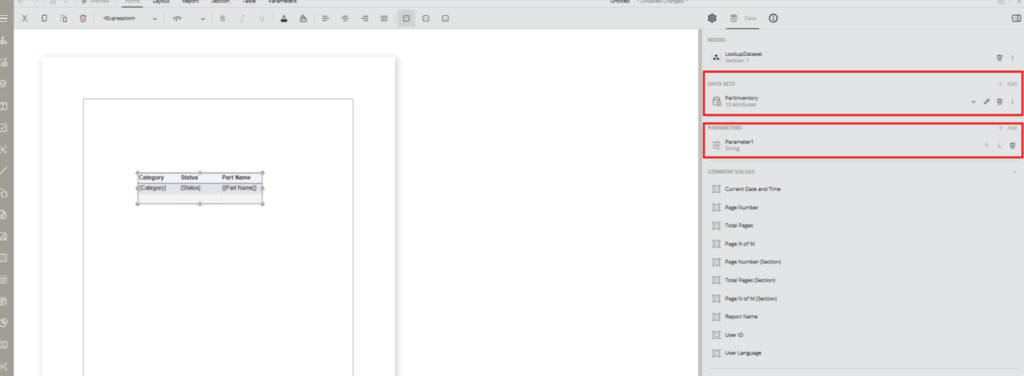
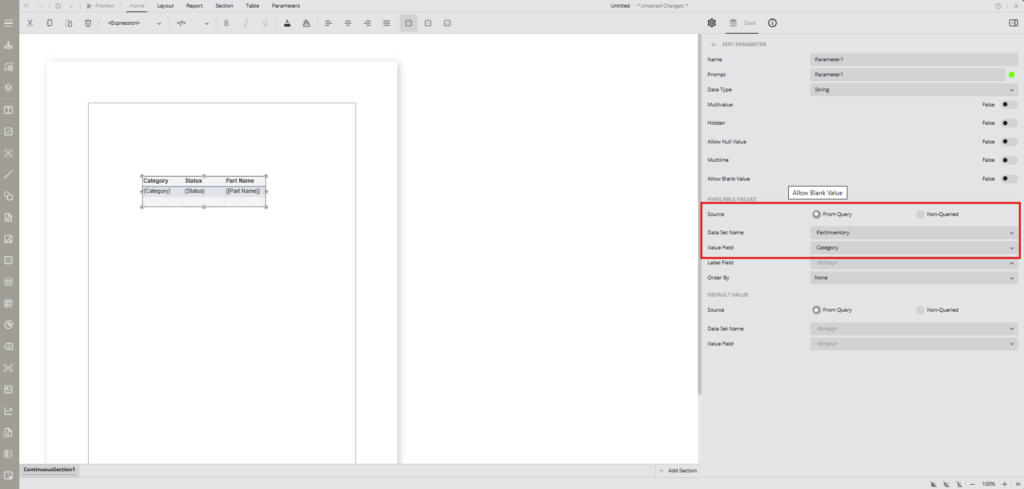
This creates a circular logic:
- Dataset depends on parameter
- Parameter depends on datasetResult: Cyclic dependency error
Root Cause
The issue arises when the same dataset is used both to populate parameter values and to retrieve filtered report data. In this configuration, the dataset depends on parameter values to return results, while the parameter depends on the dataset to determine its available values.
This creates a circular dependency where neither the dataset nor the parameter can be resolved first. As a result, Wyn throws a cyclic reference error and prevents the report from rendering.
Recommended Solution
The recommended solution for this type of error is to use ‘Lookup datasets’. Using separate lookup datasets is not only a fix for cyclic errors but also a recommended design practice. Lookup datasets are typically smaller and more efficient, as they return only the values needed for parameter selection. This reduces processing load and improves report performance.
Reusing the main dataset for parameter population can introduce unnecessary complexity and performance overhead. More importantly, it increases the risk of circular dependencies, especially when parameters are cascaded or interdependent.
Therefore, the report should include two different types of datasets:
- Main Report Dataset
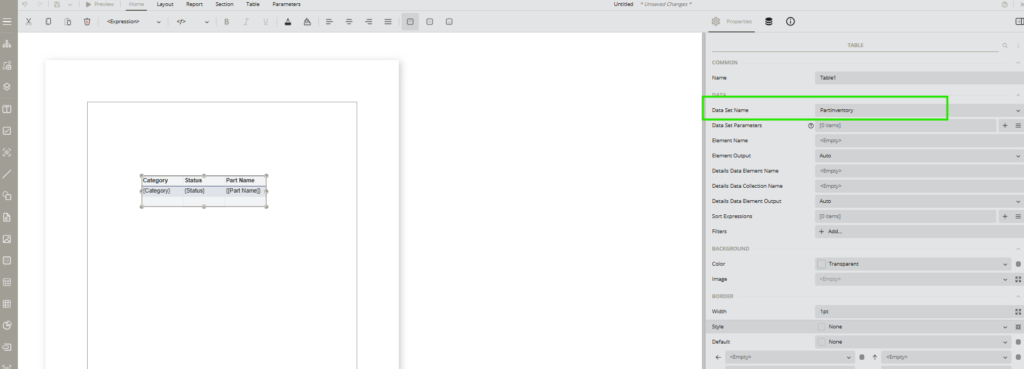
- Used to retrieve and display report data
- Consumes parameter values
- Lookup Dataset(s)
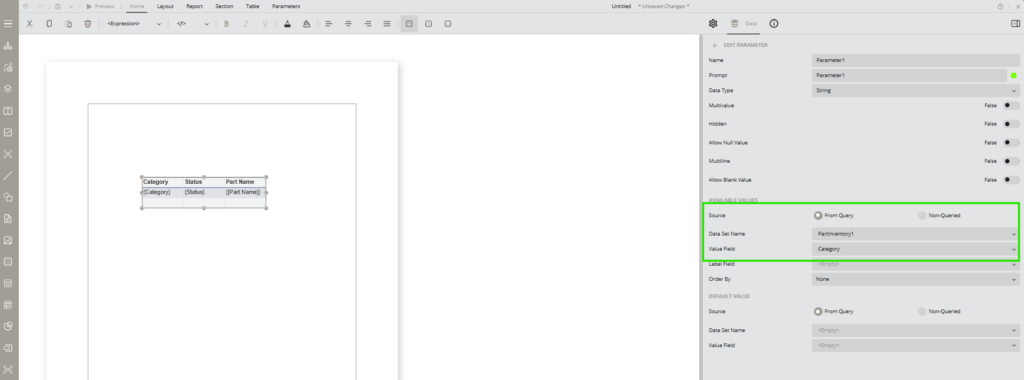
- Used only to populate parameter available values
- Should NOT depend on report parameters
Steps to follow:
- Add a new dataset based on your Model Entity
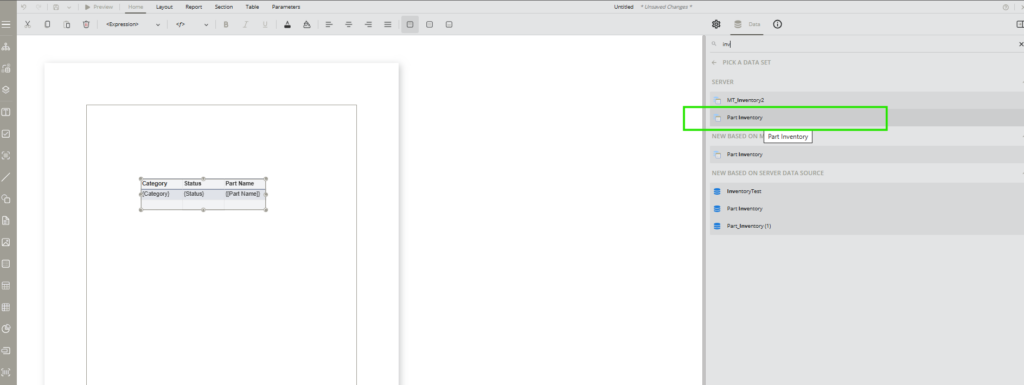
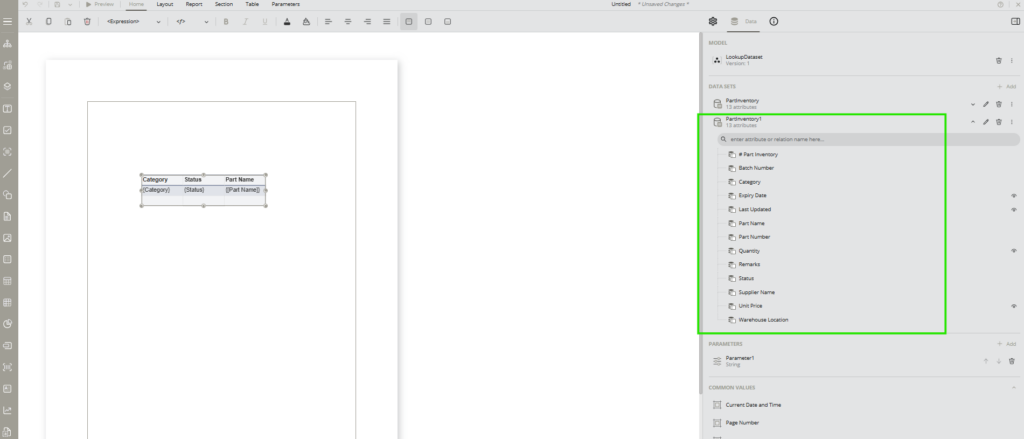
2. Edit the parameter
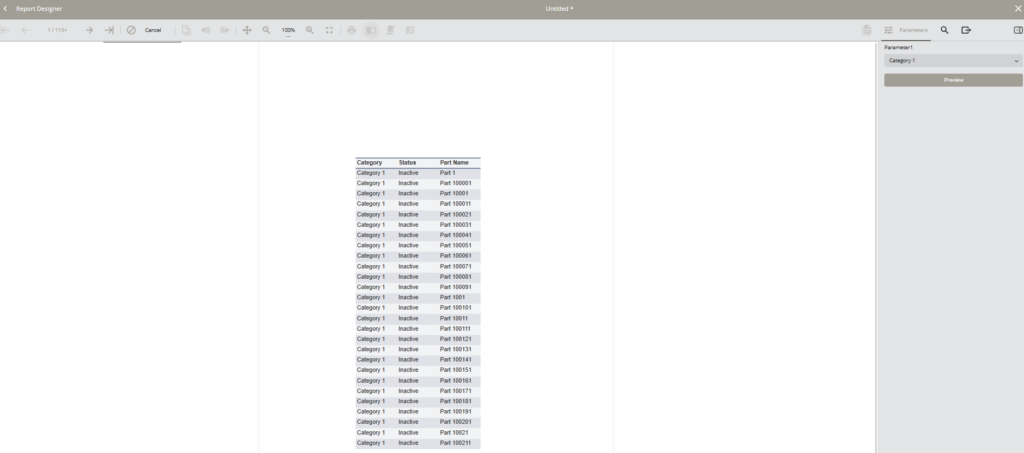
3. Make sure the report is populated from the correct dataset

Enea Gega
Enea is a Technical Product Enablement Specialist for the Wyn Enterprise Platform. He acts as a vital bridge between customers, product teams, and engineering to ensure that every new feature delivers genuine value and drives user adoption.
Enea specializes in translating complex customer needs into actionable insights for product roadmaps and technical documentation. By partnering cross-functionally, he ensures seamless delivery readiness and alignment across all releases.