-
Interactive DashboardsCreate interactive BI dashboards with dynamic visuals.
-
End-User BI ReportsCreate and deploy enterprise BI reports for use in any vertical.
-
Spreadsheet AnalyticsNewLast-Mile Analytics Tool.
-
Narrative Data StoriesThe Next Evolution of Data Storytelling
-
Automated Business DocumentsNewDocument Generation for Smarter Workflows
-
Visual Data Pipeline BuilderDesign Complex Data Flows, Simply.
-
Wyn ArchitectureA lightweight server offers flexible deployment.
-
 Wyn Enterprise 7.1 is ReleasedThis release emphasizes Wyn document embedding and enhanced analytical express...
 -
 Choosing an Embedded BI Solution for SaaS ProvidersAdding BI features to your applications will improve your products, better serve your customers, and more. But where to start? In this guide, we discuss the many options.
-
Visual GalleryInteractive sample dashboards and reports.
-
BlogExplore Wyn, BI trends, and more.
-
WebinarsDiscover live and on-demand webinars.
-
Customer SuccessVisualize operational efficiency and streamline manufacturing processes.
-
Knowledge BaseGet quick answers with articles and guides.
-
VideosVideo tutorials, trends and best practices.
-
WhitepapersDetailed reports on the latest trends in BI.
-
 Choosing an Embedded BI Solution for SaaS ProvidersAdding BI features to your applications will impr...
 -

wynDashboards v9.1 is about three things: bringing AI-driven analysis into the apps your users already work in, providing enhanced no-code functionality for business users to control how data is presented, and smoothing out the everyday experience for the people building and reading dashboards.
Product teams can now embed wynAI Chat Analysis inside their host application, rather than keeping it on the Wyn portal. Along with that, tabular visualizations bring a host of capabilities and interactivity, charts and maps gain new options, and the viewer cuts out a lot of the small frustrations that used to slow end users down.
What’s New at a Glance
- Embeddable wynAI Chat Analysis: drop conversational analysis on governed data straight into your own app.
- Richer tabular visualizations: new cell types, conditional formatting, totals, and pivots rendered as tables.
- Chart and map enhancements: conditional formatting on KPIs, zoomable maps, and more.
- A smoother Dashboard Designer: better KPI Card alignment, an improved inspector panel, and more styling control.
- More usable dashboards for viewers: default variants, default slicer values, and faster hierarchical slicers.
Embed wynAI Chat Analysis in Your Own App
wynAI Chat Analysis can now be embedded directly using DIV tags. Conversational analysis on governed data no longer has to stay on the Wyn portal. It can sit inside the host application your users already spend their day in, right next to the rest of their work.
Data selection and configuration for Chat Analysis are also improved, so it is easier to point it at the right data and shape how it responds. The result is better performance and usability both on the portal and inside the Dashboard Designer.
Richer Tabular Visualizations
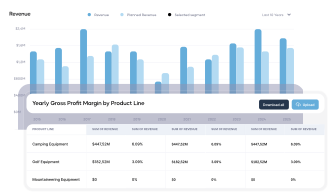
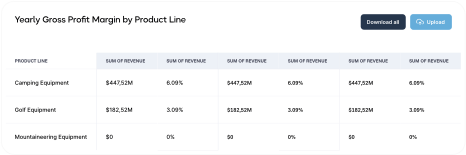
Data Tables gain a range of new capabilities in v9.1. New cell types let you put progress bars, images, and rich text directly into a table, each with conditional formatting, so a table can carry visual insights rather than plain text alone. You can also show totals on tabular tables.
Pivot Tables can now be rendered as tabular visuals with repeated data cells, which turns complex aggregations into output that reads like a simple table, to make it easier to understand for business users. And end users can sort and filter columns with a click, so exploring the data does not require going back to the designer.
Chart and Map Enhancements
Charts gain new formatting options in v9.1. KPI charts now support conditional formatting, and KPI delta options cover the case where the actual and target values match, so a zero difference is handled cleanly rather than left ambiguous.
Maps and Floor Maps add zooming, which makes dense geographic and spatial data far easier to read, and Map legends now allow more color steps for finer gradients.
A Smoother Dashboard Designer
A few design-time improvements add up to a better building experience. You get styling options for the “Show Data” expansion tables where visualizations support them, an easier way to align multiple KPI Cards at design time, and a cleaner inspector panel. Together they make it quicker to assemble a dashboard that matches your branding without fighting the layout.
Better Interactivity for Dashboard Viewers
Apart from the overall performance improvements, Dashboard Variants can now have a default variant configured, so users land on the right view without setting it each time. Text and date slicers support “unbound” scenarios, and Text, Numerical Range, and relative date slicers can carry default values, which cuts down on repetitive reselection. Multi-level hierarchical slicers also perform better.
Performance Optimizations for Large Datasets
Pivot Table performance and data table visualization performance are both improved further when working with large datasets, so dashboards stay responsive as the data behind them grows. This is in part due to the data layer improvements on the server as well as optimized data usage in the Dashboard Viewer.
Embedding and API Enhancements
When embedding the Dashboard Designer, you can now manage the save dialog comments. A new JumpTo type also allows custom drill-down behavior that the host application controls, so a click in a dashboard can drive exactly the navigation your app needs.
Build Sharper Dashboards with wynDashboards v9.1
wynDashboards v9.1 puts AI-driven analysis where your users work, gives business users no-code control over how data is presented, and takes friction out of the viewing experience. The result is dashboards that surface cleaner, more accurate insights and let people explore the data behind them with less effort.
Request a Personalized Demo of Wyn Enterprise
Part of the Wyn Enterprise v9.1 release:
Wyn Enterprise Server v9.1 – What’s New
WynReports v9.1 – What’s New
WynNotebooks v9.1 – What’s New
Introduction to wynSheets
Introduction to wynSmartDocs

Bhupesh Malhotra
Bhupesh is a Global Product Manager at wynEnterprise. He loves to tell the story behind data through data visualization techniques. He likes to hear from customers and talk about their experiences with reporting and analytics. When he isn’t thinking about data, he spends time with his family and enjoys traveling to new places with them. You can connect with Bhupesh on Twitter


Loved by industry
experts and real users